01
TRIP 1
Track the current roadbook section with a large distance display designed for frequent reference.
 EZ Rally Tripmeter
A clear GPS tripmeter and speedometer built for classic and regularity rallies. Set it up once, match the roadbook and keep the distance you need visible without turning the app into a cockpit full of features.
The iPhone version is available on the App Store, and the Android version is available on Google Play.
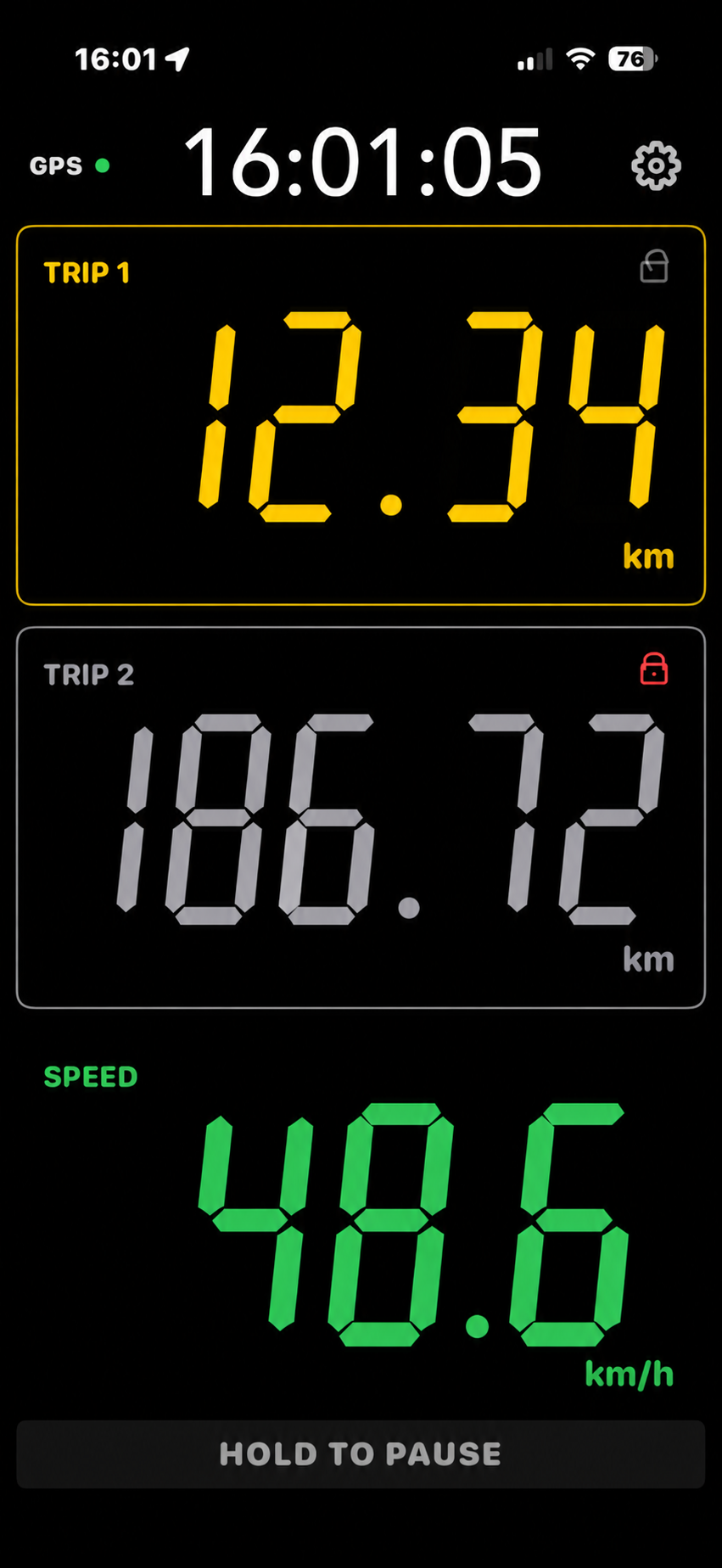
Trip 1, Trip 2 and Speed remain large, separated and immediately readable. No extra hardware is required — just your iPhone or Android phone.
Track the current roadbook section with a large distance display designed for frequent reference.
Keep a second distance visible for total distance or an alternate rally reference.
Large GPS speed readout on the same clear screen, with no separate instrument required.

Keep Trip 1, Trip 2 and Speed together on one clear screen, then switch to High 1 m resolution when your roadbook needs finer increments.

Reset Trip 1 with a clear visual confirmation, so the co-driver can see that the action registered at a glance.

Choose Standard 10 m or High 1 m display resolution, use Auto Calibration or Manual Adjustment, set colors and switch Night Mode.
Drive a known reference distance, enter the organizer’s official distance and the distance shown by EZ Rally, then calculate the correction factor. The factor is applied immediately and can also be adjusted manually. Calibration helps match the organizer's roadbook reference; it does not claim absolute GPS accuracy.
Auto Calibration — calculate the correction factor from a known reference distance.
Current Factor — always see the factor currently being applied.
Manual Adjustment — fine-tune the factor when you need a small correction.

Distance and speed are GPS-based. Results can vary with phone model, operating system, permissions, mounting position and reception conditions such as tunnels, buildings and elevated roads. Different phones may not show identical readings. The first 100 km lets you evaluate Tripmeter on your own device and route before unlocking unlimited distance.
Read GPS guidance →Choose the distance and speed units that match your roadbook before you drive. Tripmeter keeps Trip 1, Trip 2 and GPS Speed clear in the unit system you use for the rally.
The first 100 km is not a cut-down demo. Use the full Tripmeter experience first, then decide whether to unlock unlimited distance with a one-time purchase.
Use the complete Tripmeter experience for your first 100 km. If it earns its place in your rally car, unlock unlimited distance with one purchase.
Try EZ Rally Tripmeter on the road before deciding whether to unlock unlimited distance.


Drivers must not interact with EZ Rally Tripmeter while driving. Configure units, calibration, colors and other settings before starting. Where interaction is required while moving, it should be performed by a co-driver or passenger where permitted by law.
EZ Rally Tripmeter is a GPS distance and speed app for classic and regularity rallies. It displays two trip distances and GPS speed together, with reset controls and distance calibration. The app is free to download, with a one-time in-app purchase to unlock the full version and no subscription.
Yes. Enter a known reference distance and the distance recorded by the app to calculate a correction factor, which can also be adjusted manually. Calibration helps match the roadbook; a 1 m display resolution does not guarantee 1 m GPS accuracy.
No external distance sensor or vehicle wiring is required. The app uses the phone’s GPS, so reception conditions, device settings and mounting position can affect the readings.
Yes, it is designed to help crews follow roadbook distances in classic and regularity rallies. Check whether the organizer permits GPS-based devices, and follow the event’s official rules and measurements.
The iPhone version is available on the App Store, and the Android version is available on Google Play.